


There is an old rule around computers that most of us learn only after something goes wrong: the most valuable part of your laptop is rarely the laptop. It is your stuff and all the data you accumulated along the way: the photographs, documents, unfinished work and years of digital debris stored inside it.
That becomes an environmental issue when lost data convinces us that a device itself is finished. Last week, The Express Tribune reported on a growing return to the repair economy, with consumers increasingly fixing laptops, phones and household electronics rather than replacing them as the cost of new equipment rises. It is a trend Green Prophet is watching. Repair has always been one of the less glamorous parts of the circular economy, but extending the life of electronics (and your shoes!) is often greener than recycling them after only a few years.
Data recovery belongs in the same conversation. A computer that appears to have lost everything after an accidental deletion, corrupted drive or formatting mistake may not need to be thrown away and the hard drive trashed. The opposite: sometimes the first sensible step is data recovery software. Before doing anything, however, stop writing new information to the affected drive. Deleted data can remain physically present until another file overwrites the same storage space. Stop what you are doing and read on.
Five free data recovery tools worth knowing for the repair economy
- Stellar Data Recovery Free
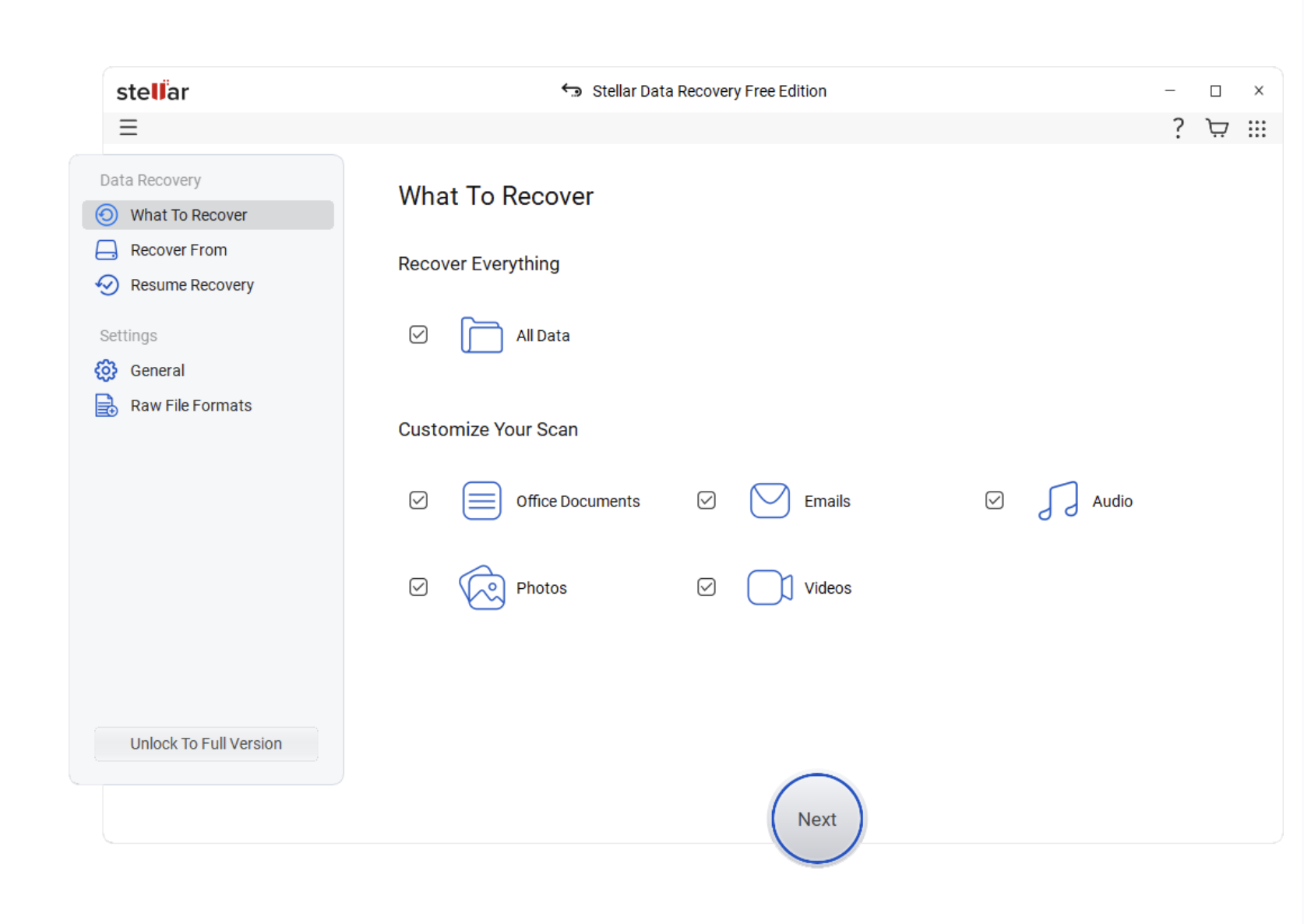
For someone who does not work in IT, simplicity matters. Stellar Data Recovery Software Free is a free data recovery software designed around a relatively straightforward process: choose what you are looking for, scan the relevant storage device and preview recoverable files before restoring them.
The current free edition allows users to recover 1GB of data, with another 1GB available through its promotional sharing option. It supports hard drives, SSDs, USB drives and memory cards and can search for common documents, photographs, video and other file formats. This is probably the one I would try first if the lost data belonged to a parent, student or small business owner who wants a visual interface rather than a command line. In short, this is the kind of solution Windows users will like.
- Recuva
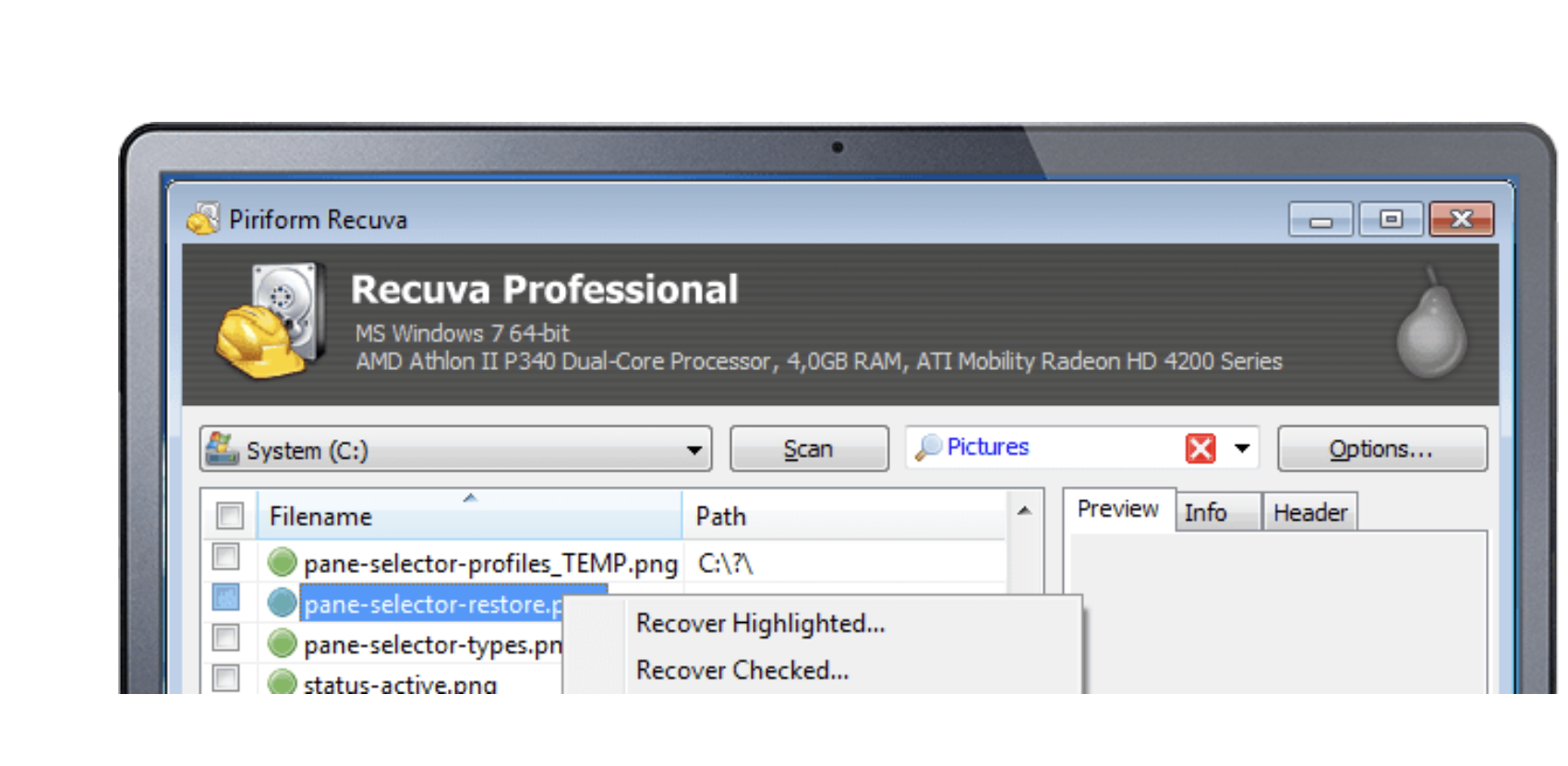
Recuva has been around for years and remains one of the more recognizable free Windows recovery utilities. Its free edition can search internal drives, memory cards, USB sticks and external hard drives. One useful feature is its Deep Scan mode for files that do not appear during an initial search.
Recuva can also look for files on damaged or recently formatted disks, although no recovery program can retrieve information that has already been overwritten. So watch out for that. Its biggest limitation is straightforward: Recuva is essentially a Windows product.
- TestDisk and PhotoRec
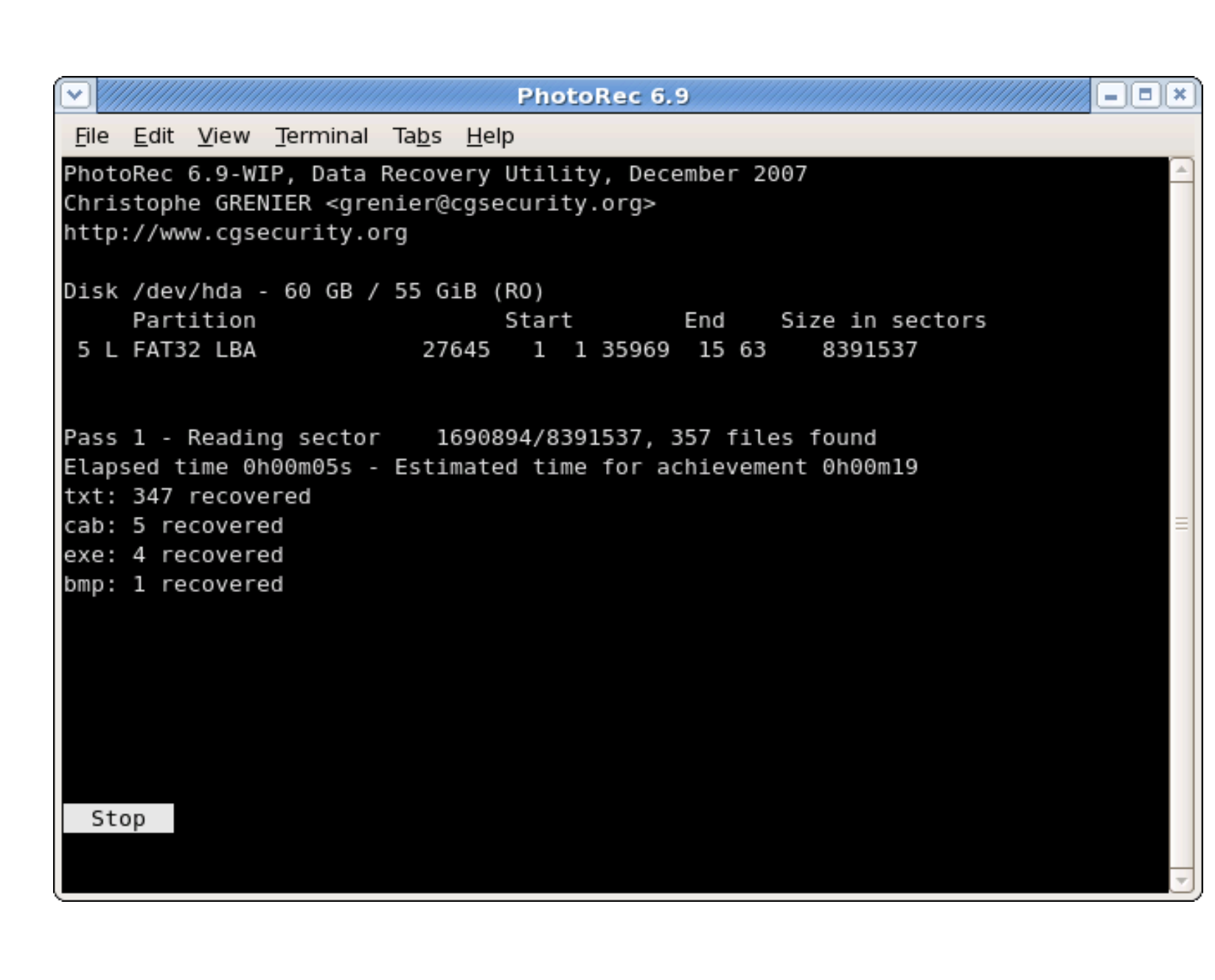
These two open-source programs from CGSecurity are less polished but remarkably useful for those looking to bring back lost files and data.
TestDisk is aimed at lost partitions, damaged file systems and boot problems. PhotoRec ignores much of the file-system structure and searches storage media for recognizable file signatures, making it useful when photographs, videos or documents have disappeared from a damaged memory card or drive. This happened to me not long ago. I managed to transfer the photos to my phone over Wifi, but a summer of memories on Canadian lakes were essentially wiped out.
Both are free and open source. The trade-off is that they feel more like tools built for technically confident users than consumer applications. Did we say free?
- Windows File Recovery
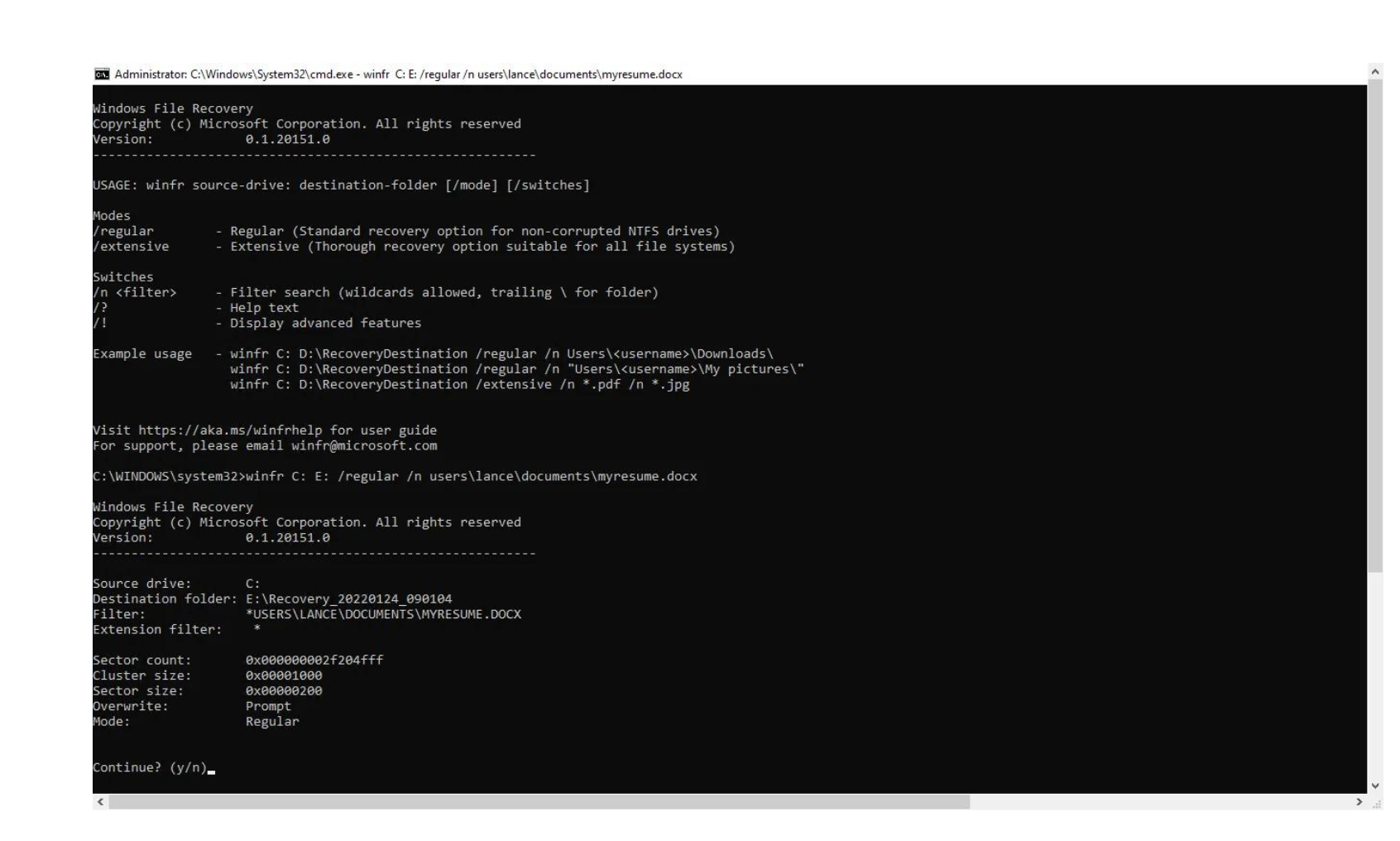
Microsoft itself offers a free recovery utility for Windows 11 and Windows 10 called Windows File Recovery. It can attempt to retrieve deleted files from internal disks, external storage and USB devices when the files are no longer sitting safely in the Recycle Bin.
There is a catch: it runs from the command line. That makes it powerful and refreshingly free of upselling, but less welcoming for someone already panicking over a missing folder containing ten years of family photographs. You might not be there emotionally. Trust us.
- DMDE Free Edition
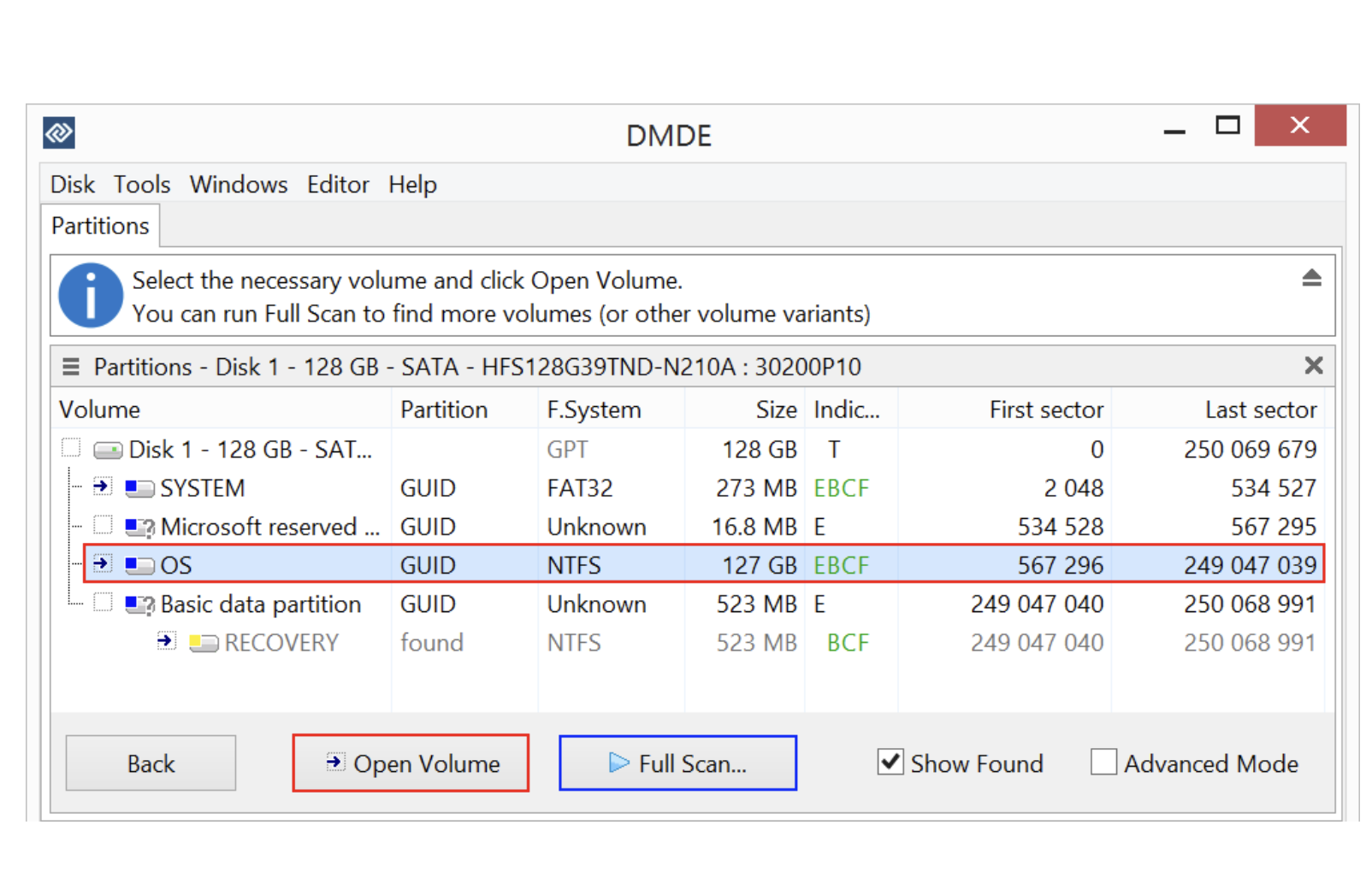
DMDE sits somewhere between consumer recovery software and a professional disk utility. Its free version offers scanning and file recovery, with a limit of up to 4,000 files from the currently opened directory per recovery operation.
It can be useful in more complicated situations involving lost partitions and damaged file systems. The interface and terminology, however, make more sense if you already know something about drives, partitions and file systems. If you don’t – go back up to solution number
Data recovery is part of keeping electronics alive
None of these programs is magic. If a drive is physically failing, making clicking noises or contains irreplaceable business or personal data, experimenting endlessly with software can make matters worse. That is the point to stop and talk to a professional data recovery service.
Backups remain far better than recovery but when you are in a bind, try one before you seek professional help from a basement somewhere.
There is a larger sustainability lesson here. We talk constantly about recycling electronics while paying much less attention to keeping them useful. Mining, manufacturing, shipping and eventually dismantling computers all carry environmental costs. A functioning laptop should not become electronic waste merely because someone accidentally formatted a drive incorrectly or emptied the wrong folder.
The increasingly visible repair economy is reminding consumers of something our grandparents understood instinctively: before replacing something, find out whether it can be fixed. The Ellen McArthur Foundation urges governments to participate in helping make everything from fashion to electronics suitable for repair and that repairing something shouldn’t cost more than buying iy new.